Website Security | Critical Vulnerability Alert
Summary
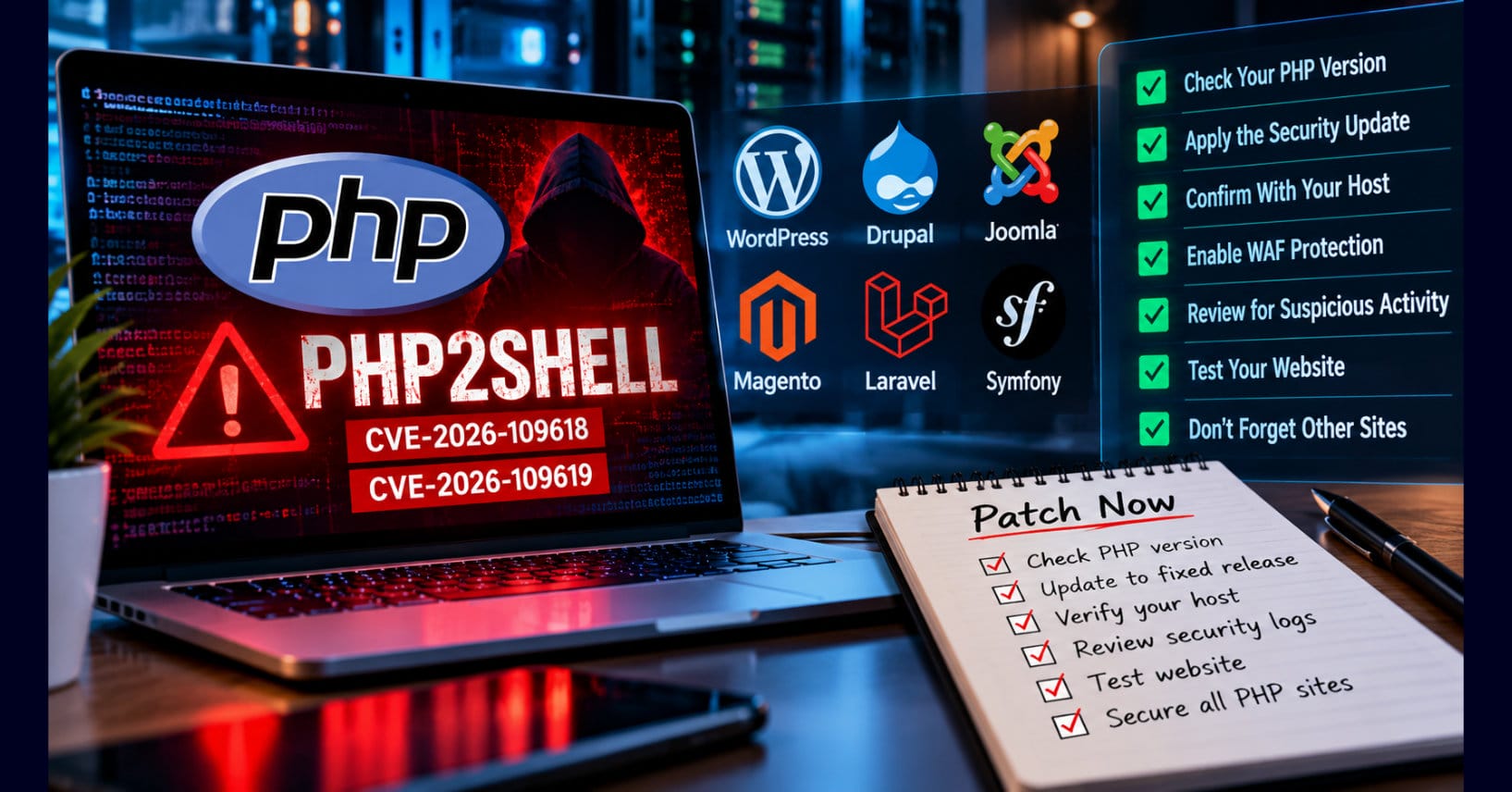
Two critical PHP vulnerabilities, CVE-2026-109618 and CVE-2026-109619, collectively known as PHP2Shell, could allow attackers to execute malicious code on vulnerable web servers. These vulnerabilities affect the PHP software underlying WordPress, Drupal, Joomla, Magento, and other PHP-based applications—not necessarily the applications themselves. This practical guide explains the risks in plain language and provides website owners with ten actionable steps to identify vulnerable PHP installations, apply security updates, verify hosting-provider protections, review suspicious activity, secure backups, and confirm successful remediation. It also explains why updating WordPress or another content management system does not automatically fix vulnerabilities in the underlying PHP runtime.
Two critical vulnerabilities have been discovered in PHP, the programming language responsible for powering much of the modern web. Security researchers have demonstrated that attackers can exploit these weaknesses to execute malicious code on vulnerable servers, potentially gaining access to website files, databases, credentials, and other sensitive information.
The vulnerabilities, identified as CVE-2026-109618 and CVE-2026-109619, are collectively known as PHP2Shell. Both vulnerabilities have received a severity rating of 9.2 out of 10 under the Common Vulnerability Scoring System (CVSS), version 4.0. CVSS is an internationally recognized standard used by cybersecurity professionals to measure how serious a software security weakness may be.
The scoring system ranges from 0 to 10, with higher numbers indicating more serious vulnerabilities:
- 0.0 — None: No identified security impact.
- 0.1–3.9 — Low: A relatively minor security weakness.
- 4.0–6.9 — Medium: A security weakness that could cause meaningful harm under certain conditions.
- 7.0–8.9 — High: A serious vulnerability that warrants prompt attention.
- 9.0–10.0 — Critical: An extremely serious vulnerability that should receive urgent attention.
With a score of 9.2, PHP2Shell falls into the Critical category.
That does not mean your website has been hacked or that an attack has a 92% chance of succeeding. The score measures the severity of the vulnerability, not the probability that your particular website will be attacked.
For website owners, the practical message is straightforward: If your website runs an affected version of PHP, treat updating it as an urgent priority.
Emergency security updates were released today, October 21, 2026.
If you own or manage a website running PHP, this deserves your immediate attention.
And that includes far more than WordPress.
PHP supports WordPress, Drupal, Joomla, Magento, Laravel, Symfony, and countless custom applications. It also operates behind customer portals, membership systems, online stores, booking platforms, and business websites.
The vulnerabilities are not necessarily in the applications themselves.
They exist in PHP, the underlying software that executes those applications.
That means your website could be running the latest version of WordPress, have every plugin updated, and still be vulnerable because the server is running an affected PHP version.
The good news is that security updates are available.
The challenge is knowing whether your website needs them, who is responsible for installing them, and how to confirm that your site is protected.
This article explains what happened and what you should do.
What Is PHP2Shell?
PHP is a server-side programming language.
When someone visits a WordPress website, for example, PHP executes the instructions needed to retrieve content, interact with the database, process forms, authenticate users, and generate the page delivered to the visitor’s browser.
Visitors generally never see PHP executing.
It operates behind the scenes.
PHP2Shell refers to two vulnerabilities involving how PHP manages memory while processing certain requests.
Under specific conditions, an attacker can manipulate that processing to cause memory corruption and potentially execute unauthorized instructions on the server.
The two vulnerabilities involve different technical weaknesses.
CVE-2026-109618 involves improper handling of out-of-memory conditions that can leave internal PHP data structures in an invalid state.
CVE-2026-109619 involves a use-after-free condition in which PHP may attempt to access memory that has already been released.
Both vulnerabilities can potentially lead to remote code execution.
Remote code execution, commonly abbreviated RCE, means an attacker can cause a vulnerable server to execute instructions the attacker controls.
Depending on the server’s configuration and security controls, successful exploitation could allow an attacker to:
- Read or modify website files.
- Access database credentials and configuration information.
- Steal sensitive information available to the affected process.
- Inject malicious content into web pages.
- Install malicious scripts or establish persistent access.
- Disrupt website operations.
- Attempt to compromise other applications sharing the server.
Not every vulnerable website will experience all these consequences.
The actual impact depends on the exploitation technique, server permissions, application architecture, and security controls.
Nevertheless, the possibility of unauthenticated remote code execution makes PHP2Shell an urgent security concern.
Researchers Have Demonstrated That the Vulnerabilities Are Exploitable
The vulnerabilities are not merely theoretical.
Security researchers at Wiz have demonstrated remote code execution against deployments of WordPress, Drupal, and Joomla.
These demonstrations are significant because they show that applications built on different frameworks can become vulnerable through the same underlying PHP runtime.
Researchers also reported using advanced artificial intelligence models to assist with exploit development.
That introduces another concern.
Memory-corruption vulnerabilities have historically required specialized expertise to exploit reliably. AI-assisted research can accelerate parts of that process, potentially reducing the time between vulnerability disclosure and practical exploitation.
Meanwhile, Cloudflare has reported observing attack traffic targeting PHP2Shell and attempts to modify malicious requests to evade protective controls.
These observations do not establish that every vulnerable website has been compromised.
They do establish that attackers are attempting to exploit the weaknesses.
Website owners should therefore treat remediation as an immediate priority rather than waiting for evidence that their particular website has been targeted.
Step 1: Determine Whether Your Website Uses PHP
The first question is straightforward.
Does your website run PHP?
If you operate WordPress, Drupal, Joomla, Magento, or a PHP-based application, the answer is almost certainly yes.
If your website was developed using Laravel, Symfony, CodeIgniter, or another PHP framework, PHP is part of its execution environment.
Even if your website appears to be a collection of static pages, your hosting environment may contain PHP-based administrative tools, contact forms, or other services.
However, not every website uses PHP.
A fully static HTML website may not require PHP at all. Applications built entirely on other server-side technologies may also be unaffected.
The important distinction is whether PHP is installed and processing requests.
For WordPress Website Owners
WordPress provides a straightforward way to identify the PHP version serving your website.
Log in to your WordPress administration dashboard.
Navigate to:
Tools → Site Health → Info → Server
Locate the entry labeled PHP version.
Record the version displayed.
You can also find this information in many hosting control panels, including cPanel, Plesk, and managed WordPress hosting dashboards.
Remember that identifying the version is only the beginning.
You must determine whether that version contains the necessary security corrections.
For Other Website Platforms
Drupal, Joomla, Magento, and other PHP applications may expose PHP version information through their administrative interfaces or system information pages.
If the information is unavailable, check your hosting control panel or contact your hosting provider.
Developers with command-line access can check the PHP command-line interpreter using:
php -v
However, there is an important limitation.
The PHP version reported by the command line may not be the version actually serving your website.
Servers can have multiple PHP versions installed simultaneously.
A website may use PHP-FPM, Apache’s PHP module, LiteSpeed, or another execution environment while the command-line interpreter uses a different installation.
Administrators should verify the PHP runtime configured for each affected website.
Do not rely exclusively on the output of php -v.
Step 2: Check Whether Your PHP Version Has Been Patched
The PHP development team released emergency updates on October 21, 2026.
The following versions contain the security corrections:
| PHP branch | Security-fixed version |
|---|---|
| PHP 8.5 | 8.5.12 |
| PHP 8.4 | 8.4.27 |
| PHP 8.3 | 8.3.36 |
| PHP 8.2 | 8.2.35 |
If your website uses one of these PHP branches, verify that the installed release is at least the applicable fixed version.
For example, PHP 8.4.26 is older than the security-fixed PHP 8.4.27 release.
It should be updated.
Similarly, PHP 8.3.35 should be updated to PHP 8.3.36 or a later security-fixed release.
PHP 8.1 and earlier releases no longer receive normal security updates from the PHP project.
Some Linux distributions and commercial extended-support providers maintain older PHP packages with backported security corrections.
Consequently, an older version number does not always prove that a vendor-maintained installation remains vulnerable.
However, website owners should not assume that an unsupported PHP release has been protected.
Ask the hosting provider or software vendor for confirmation that both PHP2Shell vulnerabilities have been addressed.
For long-term security and compatibility, moving to a currently supported PHP branch is preferable.
PHP 8.2 is also approaching the end of its security support period on December 31, 2026.
For organizations planning an upgrade today, PHP 8.3 or newer may be a better long-term target, provided the website’s applications and extensions support it.
Step 3: Determine Who Controls Your PHP Installation
One of the most common sources of confusion is responsibility for PHP updates.
Many website owners assume that updating their content management system automatically updates the server’s PHP runtime.
It does not.
There are several common hosting arrangements.
Shared Hosting
If you use shared hosting, your provider generally manages the underlying server infrastructure.
Some providers allow customers to select a PHP version through their hosting control panel.
Others automatically deploy security updates.
Check the provider’s security announcements and hosting dashboard.
If the necessary update is not available, contact support immediately.
Do not assume that changing a PHP version selector necessarily installs a security patch. The provider must make the corrected runtime available.
Managed WordPress Hosting
Managed WordPress providers typically control the PHP runtime.
Some providers have already deployed protections or security updates for PHP2Shell.
Nevertheless, website owners should verify the status of their particular hosting environment.
Ask whether the provider has installed the corrected PHP runtime or applied an equivalent vendor-supported security fix.
Also ask whether any customer action is required.
Virtual Private Servers and Dedicated Servers
If you operate a VPS or dedicated server, responsibility depends on your hosting agreement.
With an unmanaged server, you may be responsible for installing PHP updates, restarting services, and validating application compatibility.
With a managed server, the provider may perform those tasks.
Review the support agreement rather than assuming that the provider handles every security update.
Cloud and Container Hosting
Cloud environments introduce additional considerations.
A website may run PHP inside a container, virtual machine, managed application service, or custom runtime image.
Updating the host operating system does not necessarily update PHP inside a container.
Similarly, updating a container image in a repository does not protect an application until the corrected image is deployed and the affected workloads are replaced.
Administrators must verify the runtime actually executing the application.
Step 4: Update PHP Without Breaking Your Website
Applying a security update is essential.
However, website owners should also recognize that PHP upgrades can affect application compatibility.
This is particularly important when moving between major or minor PHP branches.
For example, upgrading from PHP 8.1 to PHP 8.4 may expose compatibility problems in older plugins, themes, extensions, or custom code.
A patch-level update within the same PHP branch is generally less disruptive, although testing remains important.
For business-critical websites, use the following approach.
First, create a verified backup.
Back up the website files, database, and relevant configuration information.
Confirm that the backup is complete and can be restored.
A backup that has never been tested is not a reliable recovery strategy.
Second, identify compatibility requirements.
Check whether your content management system, plugins, themes, extensions, and custom applications support the target PHP version.
If you are moving between PHP branches, consult the relevant compatibility documentation.
Third, test the update when practical.
Use a staging environment to identify compatibility problems before changing the production website.
However, do not allow routine testing procedures to create an unnecessary delay in addressing a critical, actively targeted vulnerability.
Emergency change procedures should balance the urgency of remediation against the risk of service disruption.
Fourth, deploy the corrected PHP runtime.
Apply the appropriate update using your hosting provider’s supported procedure.
For self-managed servers, install the security-fixed packages from the appropriate trusted repository.
Restart or reload the affected PHP services as required so that running processes use the corrected code.
Fifth, verify website functionality.
Test the website after the update.
Pay particular attention to authentication, contact forms, file uploads, payment processing, membership functionality, scheduled tasks, and integrations.
Finally, verify the actual PHP runtime.
Confirm that the website is executing the corrected version.
Do not assume that a successful package installation means every application process has been restarted or replaced.
Step 5: Protect the Website If You Cannot Patch Immediately
Some website owners will not be able to update PHP immediately.
They may depend on a hosting provider that has not completed deployment, an unsupported PHP branch, or an application that cannot run on a newer version without modification.
In those circumstances, reducing exposure becomes the immediate priority.
However, temporary mitigation should not be confused with remediation.
Enable Web Application Firewall Protection
A web application firewall, commonly called a WAF, examines HTTP traffic and can block requests associated with known attacks.
Cloudflare has announced that it deployed protections for PHP2Shell, including rules available to customers using its free and paid WAF services.
Other security providers may offer comparable protections.
If your website uses a WAF, verify that the relevant protections are enabled.
If your website does not use one, consider whether a reputable WAF service can provide immediate risk reduction while the PHP update is being deployed.
Remember that a WAF is not a complete substitute for patching.
Attack techniques may evolve, and not every malicious request can necessarily be identified before it reaches the server.
Restrict Unnecessary File Uploads
The PHP2Shell vulnerabilities involve request-processing conditions that can be associated with specially crafted HTTP traffic.
Where file uploads are unnecessary, administrators should consider restricting upload functionality.
For example, a simple informational website may not need visitors to submit files.
An online store, membership platform, or customer support portal may depend on uploads for legitimate business operations.
Restrictions should therefore be applied carefully.
Blocking all multipart form submissions without understanding the application can disrupt ordinary forms and other functionality.
Review PHP Configuration
The PHP security advisories describe temporary configuration measures that may reduce exposure under certain conditions.
These involve settings associated with memory limits, request sizes, upload processing, and other runtime behavior.
Such changes should be implemented only after reviewing the official advisory and understanding their operational consequences.
Importantly, disabling session.upload_progress.enabled alone does not eliminate PHP2Shell exposure.
Independent security research has demonstrated that relying on that configuration change as a complete mitigation is unsafe.
The corrected PHP runtime remains the necessary solution.
Restrict Access or Temporarily Disable the Website
For websites that cannot be patched or adequately protected, temporarily restricting public access may be the safest option.
This is particularly relevant for systems processing sensitive information or providing privileged administrative functionality.
Possible measures include restricting access through network controls, limiting access to authorized users, or temporarily disabling the affected service.
For a public-facing website, taking the site offline is disruptive.
However, the consequences of a successful server compromise may be considerably more serious.
The appropriate decision depends on the website’s purpose, exposure, available protections, and business impact.
Step 6: Check for Signs of Possible Exploitation
Installing a security update addresses the underlying vulnerability.
It does not prove that an attacker never exploited the system before the update was installed.
Because attack attempts have already been observed, website owners should review available evidence of suspicious activity.
Potential warning signs include:
- Unusual bursts of HTTP POST requests.
- Unexpected multipart form submissions.
- PHP memory exhaustion errors.
- Unexplained HTTP 500 server errors.
- Recently modified website files.
- Unknown PHP scripts appearing in upload directories.
- Unexpected administrator accounts.
- Unexplained changes to website content.
- Suspicious outbound network connections.
- Unexpected processes running under the web server account.
These indicators are not proof of compromise.
A legitimate application error may produce an HTTP 500 response. A plugin update may modify files. A busy website may receive large numbers of POST requests.
The concern arises when suspicious activity cannot be explained by normal operations.
For WordPress websites, administrators should review security plugin alerts, available activity logs, administrative accounts, and file integrity reports.
For other platforms, use the equivalent application and server monitoring tools.
If you discover credible evidence of compromise, preserve relevant logs and system evidence before performing destructive cleanup.
Changing passwords and removing suspicious files may be necessary, but those actions should be coordinated with incident investigation and recovery.
Where sensitive information may have been exposed, additional legal, contractual, or regulatory obligations may apply.
Step 7: Check Your Backups and Recovery Capabilities
A critical vulnerability is also a reminder to evaluate website recovery readiness.
Website owners should confirm that recent backups exist and that restoration procedures work.
For a typical PHP-based website, a complete recovery capability may require more than website files.
It may include the database, application configuration, environment settings, encryption keys, uploaded content, and supporting infrastructure configuration.
Backups should be protected against unauthorized modification or deletion.
Where practical, maintain copies isolated from the production environment.
If compromise is suspected, avoid automatically restoring the most recent backup without determining whether it contains malicious modifications.
A backup taken after an intrusion may preserve the attacker’s changes.
Recovery should use a known-good state, followed by application of security updates and appropriate credential rotation.
Step 8: Do Not Forget Staging Sites, Development Servers, and Forgotten Applications
Many organizations operate more websites than they realize.
A business may maintain its primary website while also operating:
- A staging or development copy.
- An older website retained for reference.
- A customer support portal.
- A separate online store.
- A marketing campaign website.
- An internal application exposed through remote access.
- A legacy PHP application maintained by a former developer.
These systems may use different PHP versions.
They may also receive less attention than the primary production website.
An abandoned staging installation can still create a security risk if it remains accessible from the internet.
Website owners should identify every PHP-based environment they control, including test and development systems.
Each environment should be assessed independently.
Where an application is no longer required, securely retiring it may be preferable to maintaining another exposed system.
Step 9: Ask Your Hosting Provider the Right Questions
If your hosting provider manages PHP, contacting support may be the most important action you can take.
A general response that the provider takes security seriously is not sufficient.
You need confirmation about your actual hosting environment.
Ask the provider:
- Is my website hosted on a PHP runtime affected by CVE-2026-109618 or CVE-2026-109619?
- Has the affected PHP runtime been updated to a corrected release or received a verified security backport?
- Does that correction cover the specific server or environment hosting my website?
- Are PHP2Shell-specific WAF protections active?
- Has the provider observed suspicious activity affecting my hosting environment?
- Is any action required from me to complete remediation?
- Can the provider confirm that my website is now running a corrected PHP runtime?
If your provider cannot answer these questions, escalate the request through its security or technical support process.
For business-critical websites, retain the provider’s response as part of your security documentation.
A support ticket confirming remediation may become important if questions arise later about the timing or effectiveness of the response.
Step 10: Verify That the Problem Is Actually Resolved
The final step is verification.
A website that appears to load correctly is not necessarily secure.
Likewise, the absence of visible errors does not prove that a vulnerability has been eliminated.
At minimum, website owners should confirm four things.
The PHP runtime is corrected.
Verify that the website is running a security-fixed PHP version or a vendor-supported package containing the necessary corrections.
The website functions correctly.
Test essential features after the update.
Relevant security monitoring has been reviewed.
Determine whether available evidence suggests attempted or successful exploitation.
Any remaining exposure is understood.
If an application cannot be updated, document the reason, temporary protections, responsible party, and remediation plan.
For organizations operating multiple websites, repeat this verification for every affected environment.
Do not close the issue simply because the primary corporate website has been updated.
Frequently Asked Questions
Is WordPress itself vulnerable?
The vulnerabilities are in PHP, not WordPress core.
WordPress has confirmed that no WordPress core update is required specifically for these issues.
However, WordPress websites running affected PHP environments may still be vulnerable.
Will updating WordPress fix PHP2Shell?
No.
Updating WordPress, plugins, and themes remains important for general security, but it does not replace the PHP runtime security update.
Does PHP2Shell affect Drupal, Joomla, and Magento?
Yes, deployments of these and other PHP-based applications may be exposed when they run on affected PHP environments.
The vulnerability is in the underlying runtime rather than the application framework.
Does my website need to accept file uploads to be vulnerable?
No.
Website owners should not assume that disabling visible upload forms eliminates the risk.
PHP processes different types of HTTP requests, and exploitation conditions can occur below the application layer.
Am I safe if I use Cloudflare?
Cloudflare has deployed protections against PHP2Shell.
Those protections can substantially reduce exposure, but they are not a replacement for installing the corrected PHP runtime.
You should still verify your server’s patch status.
Can I tell whether my website has been compromised?
Sometimes.
Server logs, security monitoring, file integrity checks, and other evidence may reveal suspicious activity.
However, the absence of obvious indicators does not guarantee that no compromise occurred.
If you have reason to suspect exploitation, seek qualified incident response assistance.
Should I take my website offline?
Not necessarily.
If your PHP runtime has been corrected and appropriate verification has been completed, taking the website offline solely because of PHP2Shell is generally unnecessary.
If your website remains vulnerable and cannot be adequately protected, restricting access or temporarily disabling the affected service may be appropriate.
What if my hosting provider has not released an update?
Contact the provider immediately.
Ask for its remediation schedule, temporary protections, and guidance for your specific environment.
If the provider cannot offer a credible remediation path, consider whether temporary service restrictions or migration to a supported hosting environment are necessary.
The Bigger Lesson: Your Website Is More Than Its Content Management System
PHP2Shell illustrates a security problem that website owners frequently overlook.
Most people think about website security in terms of passwords, plugins, themes, SSL certificates, and backups.
Those elements matter.
But the security of a website also depends on the infrastructure beneath the application.
A website can use strong passwords, multifactor authentication, current plugins, and a reputable security plugin while remaining exposed through an unpatched server runtime.
This is why website security cannot be reduced to updating WordPress or installing another security extension.
It requires understanding the software environment, maintaining supported components, monitoring for threats, and knowing who is responsible for infrastructure updates.
For small website owners, that responsibility may largely depend on the hosting provider.
For developers and agencies, it may involve dozens or hundreds of customer installations.
For organizations operating business-critical websites, it may require coordination among application teams, infrastructure administrators, security personnel, and external vendors.
The scale differs, but the principle remains the same.
You cannot protect a website effectively if you do not know what software is running beneath it.
What Website Owners Should Do Today
The immediate response to PHP2Shell does not need to be complicated.
Determine whether your website uses PHP.
Identify the PHP version actually serving the application.
Verify whether the applicable security corrections have been installed.
If your hosting provider manages PHP, obtain confirmation that your environment has been remediated.
If you manage PHP yourself, deploy the corrected runtime using the appropriate vendor-supported procedure.
Keep protective controls enabled, review available evidence of suspicious activity, and verify that the website functions correctly after the update.
Do not forget secondary websites, staging environments, or older applications.
And do not assume that a working website is necessarily a secure website.
PHP2Shell is a serious vulnerability disclosure, but the appropriate response is not panic.
It is informed, prompt, and verifiable action.
Your website may be fully updated at the application level and still be vulnerable underneath.
Make sure the foundation is secure.